
In order to process black lists, you need a programme that is able to compare the entries from a black list with the entries from a second table and then delete the matches found in this table. Ideally, the black list should also be able to contain entries that can be used to block not only individual recipients, but an entire block of recipients. The following entries should be permitted for black lists with email addresses:
- a complete email address that is to be blocked
- '.tld' => all email addresses with this top-level domain are blocked
This email address is being protected from spambots. You need JavaScript enabled to view it. ' => all email addresses with this domain are blockedThis email address is being protected from spambots. You need JavaScript enabled to view it. ' => all email addresses with this subdomain are blocked
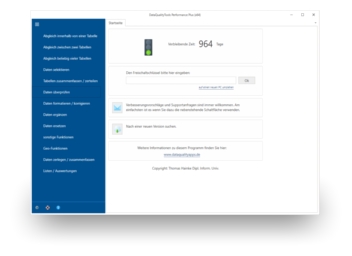
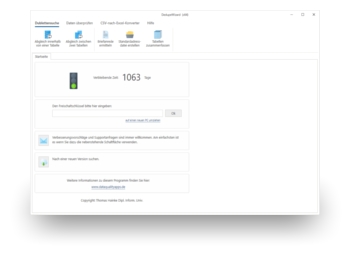
DataQualityTools, for example, could be used to process such a black list. To do this, proceed as follows:
- If you have not already done so, download DataQualityTools free of charge here. Install the program and request a trial activation. Then you can work with the program for one whole week without any restrictions.
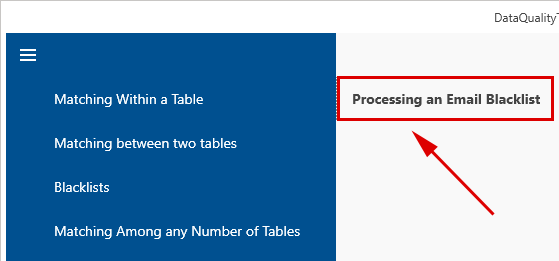
- The function we need can be found in the menu in the "Blacklists" block. Select the "Processing an Email Blacklist" function there:
- After starting this function, the project management appears. Here, you create a new project with a project name of your choice and then click on the 'Next' button.
- In the next step, use the "Open file" button to open the tables containing the data to be processed:
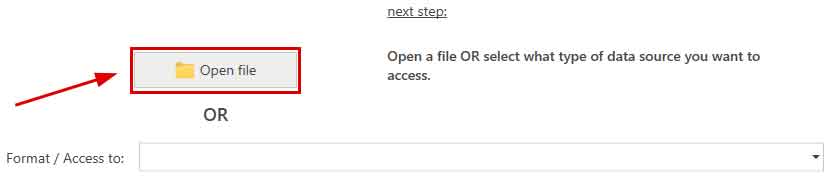
Excel, Access, dBase, CSV and text files are supported.
For database servers (MS SQL Server, MySQL, MariaDB, Oracle, Azure SQL or PostgreSQL), first select the appropriate database server from the drop-down list under "Format / Access to". Then enter the name of the database server. After clicking on the "Connect to server" button, enter the access data. Finally, select the desired database and table from the corresponding selection lists. - Next, you must specify to the programme in which column of the table it can find which information, e.g. in which column the street or the name of the town is located. To do this, select the data field from the drop-down lists with the column names from the table that best matches the label to the left of it.
For the "Processing an Email Blacklist" function, only the data field containing the email address needs to be specified here: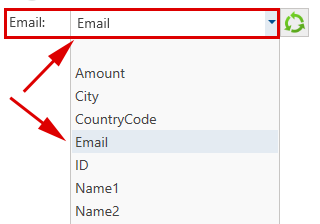
The programme automatically pre-assigns the field mapping based on the column names. The result of the field mapping can be checked using the ‘Check field mapping’ function located on the right-hand side of the screen. - Then carry out the last two steps for the second table, usually the black list.
- Clicking on the "Next" button takes us to a dialogue box with further options. Here you can choose in which of the two tables the entries from the second table, the black list, should be searched for. The hits found are then deleted from this table:

- Clicking on the "Next" button starts the search for duplicates. It does not take long and a summary of the results is displayed.
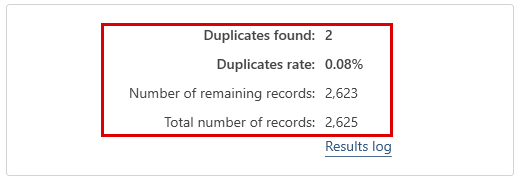
If the programme has found duplicates between the two tables, the result can be displayed by clicking on the "Show / edit result" button. - The comparison result is displayed here in the form of a table. The records to be deleted are marked with a red cross, which can be deleted if necessary.

- Finally, the result must be processed further. For example, we could delete the records marked for deletion directly from the source table. To do this, we select the appropriate function by first clicking on "Delete functions":

And then on "Delete duplicates":
There we then select "Write result to original table":
By clicking on “Continue” and then on "Delete duplicates", the matches found are finally deleted from the source table: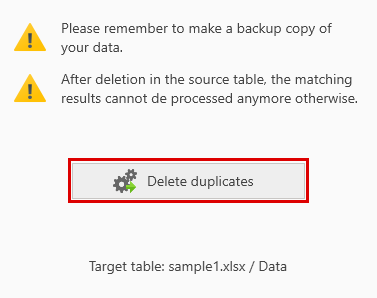
None of the email addresses contained in the black list now appear in the first table. The recipients in question will therefore NO longer be contacted as desired and will no longer receive any advertising.
Note: There is a video tutorial available for DataQualityTools, introducing the user to the operation of the program based on the example of a duplicate detection within one table.