

Such a notification email can be easily set up in BatchDeduplicator. In the simplest case, all you need to do is enter an email address to which the notification email should be sent.
To do this, proceed as follows:
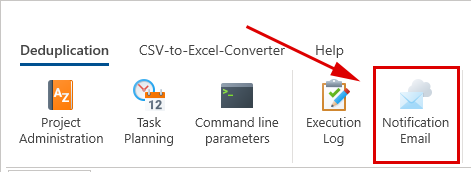
- Select the 'Notification email' function in the main menu of BatchDeduplicator:
- The notification email can either be sent via the BatchDeduplicator server. No further information is required for this. Or it can be sent via any SMTP server. In this case, the credentials for this SMTP server must of course be stored:
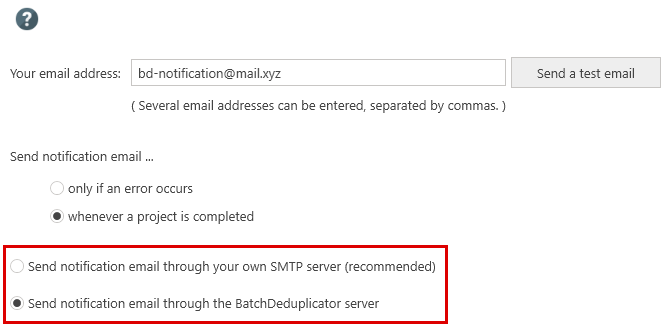
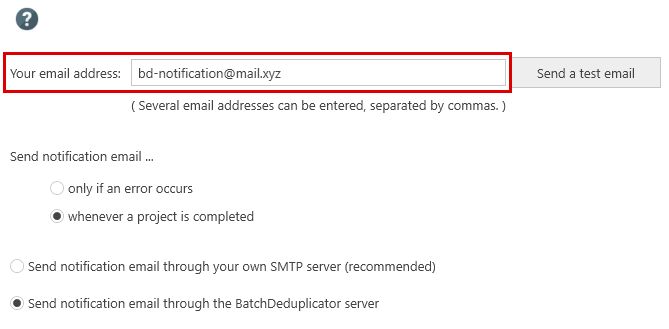
- In any case, an email address must be stored to which the notification email is to be sent:
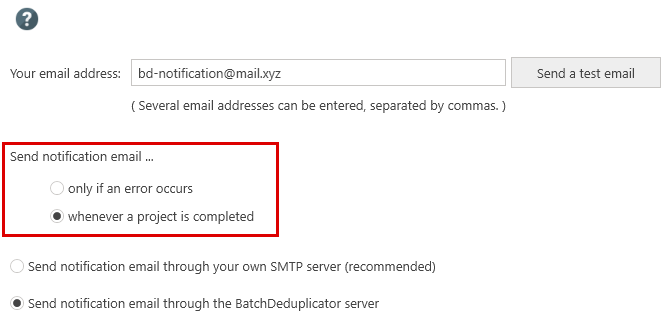
- Finally, you can specify whether a notification email should only be sent when a problem occurs. Or whenever the processing of a project is completed, regardless of whether a problem has occurred or not:
You can read about how to create a project for data cleansing in BatchDeduplicator and then have it run regularly, for example every Monday at 6 p.m., in the article "Scheduled Duplicate Detection with BatchDeduplicator".